Unlock The Secrets Of Samsung MDM Lock Removal: Discoveries And Insights Awai
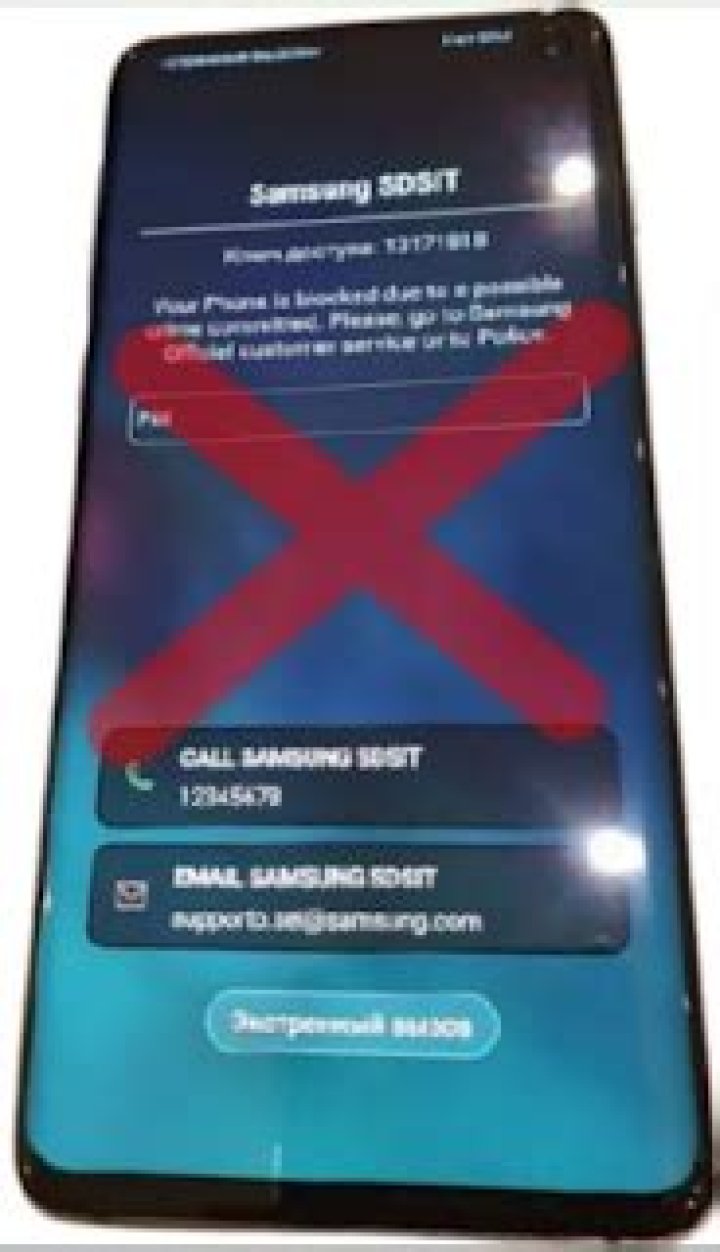
All Samsung Mdm Kg Lock Remove Files is a comprehensive guide to help users remove the MDM (Mobile Device Management) lock from their Samsung devices. MDM locks are typically used by businesses and organizations to manage and secure company-owned devices, but they can also be accidentally enabled by users.
This guide provides step-by-step instructions on how to remove the MDM lock using various methods, such as using the device's settings, using a third-party tool, or contacting the MDM server administrator. It also covers the importance of removing the MDM lock, such as regaining full control of the device, installing apps from unknown sources, and updating the device's software.
Whether you're a user who accidentally enabled the MDM lock or a business or organization looking to manage your devices effectively, this guide provides valuable information and resources to help you understand and remove the MDM lock from your Samsung devices.
All Samsung Mdm Kg Lock Remove Files
Understanding the key aspects of "All Samsung Mdm Kg Lock Remove Files" helps in comprehending the significance, benefits, and potential implications related to removing MDM locks on Samsung devices. Here are 10 key aspects to consider:
- MDM Lock: A security measure used by organizations to manage and secure company-owned devices.
- Samsung Devices: Samsung smartphones and tablets that may be subject to MDM locks.
- Removal Methods: Techniques to bypass or remove MDM locks, such as using device settings or third-party tools.
- Importance of Removal: Regaining full control of the device, installing apps from unknown sources, and updating the device's software.
- Accidental Activation: MDM locks can sometimes be accidentally enabled by users.
- Business and Organization Use: MDM locks are commonly used in business and organizational settings to manage devices.
- Security Implications: Removing MDM locks may have security implications, such as compromising device security measures.
- Legal Considerations: It is important to ensure that removing MDM locks complies with any legal or contractual obligations.
- Technical Knowledge: Some MDM lock removal methods may require technical knowledge and expertise.
- Data Backup: It is advisable to back up device data before attempting to remove MDM locks.
These aspects highlight the importance of understanding the implications of MDM locks and the various methods available for their removal. Whether you're a user who accidentally enabled the MDM lock or an organization looking to manage your devices effectively, considering these aspects will help you make informed decisions and take appropriate actions.
MDM Lock
MDM (Mobile Device Management) lock is a security measure implemented by organizations to manage and secure company-owned devices, such as smartphones and tablets. It allows IT administrators to remotely control and configure devices, ensuring compliance with security policies and protecting sensitive data.
MDM locks play a crucial role in preventing unauthorized access to devices and data, especially in the context of "All Samsung Mdm Kg Lock Remove Files". Removing MDM locks without proper authorization can compromise the security of company-owned devices, potentially exposing sensitive data and applications to unauthorized individuals.
Therefore, understanding the connection between MDM locks and the process of removing them is essential for organizations and users alike. Organizations must implement robust MDM lock policies and ensure that only authorized personnel have the ability to remove them. Users, on the other hand, should be aware of the security risks associated with removing MDM locks and should only do so with the explicit permission of their organization's IT department.
Samsung Devices
The connection between "Samsung Devices: Samsung smartphones and tablets that may be subject to MDM locks" and "All Samsung Mdm Kg Lock Remove Files" is significant because Samsung devices are commonly used in business and organizational settings, where MDM locks are often implemented for security and management purposes.
MDM locks on Samsung devices allow IT administrators to remotely control and configure devices, ensuring compliance with security policies and protecting sensitive data. However, users may need to remove MDM locks for various reasons, such as leaving the organization or wanting to regain full control of their devices.
Understanding the connection between Samsung devices and MDM locks is crucial for both organizations and users. Organizations must ensure that their MDM lock policies are robust and that only authorized personnel have the ability to remove them. Users, on the other hand, should be aware of the security risks associated with removing MDM locks and should only do so with the explicit permission of their organization's IT department.
In summary, the connection between "Samsung Devices: Samsung smartphones and tablets that may be subject to MDM locks" and "All Samsung Mdm Kg Lock Remove Files" highlights the importance of understanding the implications of MDM locks on Samsung devices and the various methods available for their removal. This understanding is essential for organizations and users alike to ensure the security and proper management of Samsung devices in business and personal contexts.
Removal Methods
The connection between "Removal Methods: Techniques to bypass or remove MDM locks, such as using device settings or third-party tools" and "All Samsung Mdm Kg Lock Remove Files" lies in the practical significance of understanding the various techniques available for removing MDM locks on Samsung devices. MDM (Mobile Device Management) locks are security measures implemented by organizations to manage and secure company-owned devices, but users may need to remove these locks for various reasons.
Various removal methods exist, each with its own advantages and drawbacks. Using device settings may be an option for certain types of MDM locks, but it requires knowledge of the specific settings and may not be feasible for all devices. Third-party tools offer an alternative approach, providing specialized software that can bypass or remove MDM locks. However, these tools may require technical expertise and can sometimes compromise the security of the device.
Understanding the connection between removal methods and "All Samsung Mdm Kg Lock Remove Files" is crucial for users who need to regain control of their devices or remove MDM locks imposed by organizations. By exploring the available removal methods and their implications, users can make informed decisions and choose the most appropriate approach based on their specific circumstances. This understanding empowers users to take control of their devices and manage them according to their needs, while also considering the potential security risks associated with MDM lock removal.
Importance of Removal
The connection between "Importance of Removal: Regaining full control of the device, installing apps from unknown sources, and updating the device's software" and "All Samsung Mdm Kg Lock Remove Files" lies in the practical benefits and implications of removing MDM (Mobile Device Management) locks on Samsung devices.
- Regaining Full Control: MDM locks can restrict users from making changes to their devices, such as installing or uninstalling apps, changing settings, or accessing certain features. Removing the MDM lock restores full control to the user, allowing them to customize their device and use it according to their preferences.
- Installing Apps from Unknown Sources: MDM locks often prevent users from installing apps from sources other than the official app store. Removing the MDM lock allows users to install apps from third-party sources, providing access to a wider range of applications and customization options.
- Updating the Device's Software: MDM locks can sometimes interfere with the device's ability to receive software updates. Removing the MDM lock ensures that the device can receive and install the latest software updates, which contain security patches and new features.
Understanding the importance of removing MDM locks is crucial for users who want to regain full control of their Samsung devices and take advantage of the full range of features and customization options available. Removing MDM locks empowers users to personalize their devices, install apps from various sources, and keep their devices up-to-date with the latest software, enhancing their overall user experience and device functionality.
Accidental Activation
In the context of "All Samsung Mdm Kg Lock Remove Files," understanding the potential for accidental MDM lock activation is crucial. MDM (Mobile Device Management) locks are security measures implemented by organizations to manage and secure company-owned devices. However, users may inadvertently enable these locks without realizing the consequences.
- Lack of Awareness: Users may accidentally enable MDM locks due to a lack of awareness or understanding of the potential consequences. For instance, they may click on a malicious link or install an unverified app that triggers the MDM lock without their knowledge.
- Misconfiguration: MDM locks can sometimes be enabled unintentionally during the device setup process. Users may instructions or select incorrect settings, resulting in the activation of the MDM lock.
- Unauthorized Access: In some cases, MDM locks can be enabled by unauthorized individuals who gain access to the device. This could occur if the device is lost or stolen, or if someone gains access to the user's credentials.
- Technical Glitches: Rarely, MDM locks may be enabled due to technical glitches or software errors. These glitches can occur during software updates or system changes, leading to the inadvertent activation of the MDM lock.
Accidental activation of MDM locks can be a frustrating experience for users, as it can restrict their ability to use their devices as intended. Understanding the potential causes of accidental activation is essential for both users and organizations. By raising awareness, providing clear instructions, and implementing robust security measures, the risk of accidental MDM lock activation can be minimized, ensuring that users have full control over their devices.
Business and Organization Use
The connection between "Business and Organization Use: MDM locks are commonly used in business and organizational settings to manage devices." and "All Samsung Mdm Kg Lock Remove Files" lies in the widespread adoption of MDM (Mobile Device Management) locks by businesses and organizations to secure and manage their mobile devices.
MDM locks play a vital role in ensuring the security and compliance of company-owned devices, particularly in industries such as healthcare, finance, and government, where data protection and regulatory compliance are paramount. By implementing MDM locks, organizations can enforce security policies, remotely manage devices, and track and locate devices in case of loss or theft.
Samsung devices are popular among businesses and organizations due to their reliability, security features, and enterprise support. MDM locks on Samsung devices allow IT administrators to configure and manage devices according to the organization's specific requirements, such as:
- Enforcing password policies and encryption standards.
- Restricting access to sensitive apps and data.
- Remotely wiping devices in case of security breaches.
- Deploying software updates and security patches.
Understanding the connection between "Business and Organization Use: MDM locks are commonly used in business and organizational settings to manage devices." and "All Samsung Mdm Kg Lock Remove Files" is essential for both organizations and users. Organizations must implement robust MDM lock policies and ensure that only authorized personnel have the ability to remove them. Users, on the other hand, should be aware of the security risks associated with removing MDM locks and should only do so with the explicit permission of their organization's IT department.
Security Implications
The connection between "Security Implications: Removing MDM locks may have security implications, such as compromising device security measures" and "All Samsung Mdm Kg Lock Remove Files" lies in the potential risks and consequences of removing MDM (Mobile Device Management) locks on Samsung devices.
- Weakening Device Security: MDM locks are designed to enhance device security by enforcing security policies and restrictions. Removing MDM locks can weaken the device's security posture, making it more vulnerable to malware, unauthorized access, and data breaches.
- Bypassing Security Controls: MDM locks often implement various security controls, such as password enforcement, encryption, and remote wiping capabilities. Removing MDM locks can bypass these controls, allowing unauthorized individuals to gain access to sensitive data and compromise the device's security.
- Exposure to Malicious Apps: MDM locks can restrict the installation of apps from unknown sources. Removing MDM locks can expose the device to malicious apps that can steal data, track user activity, or compromise the device's functionality.
- Compliance Violations: In business and organizational settings, MDM locks are often used to ensure compliance with industry regulations and security standards. Removing MDM locks can lead to compliance violations and potential legal or financial consequences.
Understanding the security implications of removing MDM locks is crucial for both organizations and users. Organizations must implement robust MDM lock policies and ensure that only authorized personnel have the ability to remove them. Users, on the other hand, should be aware of the security risks associated with removing MDM locks and should only do so with the explicit permission of their organization's IT department or in cases where the device is no longer subject to MDM management.
Legal Considerations
Understanding the connection between "Legal Considerations: It is important to ensure that removing MDM locks complies with any legal or contractual obligations." and "All Samsung Mdm Kg Lock Remove Files" is crucial for both organizations and users. MDM (Mobile Device Management) locks are often implemented on Samsung devices within business and organizational settings to enforce security policies and manage devices effectively.
- Compliance with Laws and Regulations: Removing MDM locks may conflict with certain laws and regulations, particularly in industries such as healthcare, finance, and government, where data protection and compliance are paramount. Organizations must ensure that removing MDM locks complies with applicable laws and regulations to avoid legal liabilities and penalties.
- Breach of Contract: In many cases, MDM locks are implemented as part of a contractual agreement between an organization and its employees or users. Removing MDM locks without proper authorization may breach the terms of the contract, leading to legal consequences.
- Company Policies: Organizations may have internal policies that govern the use of MDM locks and the removal thereof. Removing MDM locks without adhering to these policies may result in disciplinary actions or other consequences.
- Protection of Sensitive Data: Removing MDM locks can expose sensitive data to unauthorized access, increasing the risk of data breaches and security incidents. Organizations must carefully consider the potential legal implications of removing MDM locks, especially if the devices contain sensitive data.
Organizations and users should carefully evaluate the legal considerations before removing MDM locks from Samsung devices. Ensuring compliance with legal obligations, contractual agreements, and company policies is essential to mitigate legal risks and maintain the security and integrity of sensitive data.
Technical Knowledge
The connection between "Technical Knowledge: Some MDM lock removal methods may require technical knowledge and expertise." and "All Samsung Mdm Kg Lock Remove Files" lies in the complexity of MDM (Mobile Device Management) lock removal processes and the technical skills necessary to execute them successfully.
MDM locks are designed to restrict unauthorized access to devices and data, and their removal often requires a deep understanding of device software, security protocols, and potential vulnerabilities. Some removal methods involve modifying system files, using specialized tools, or exploiting software loopholes, which can be challenging for users without the requisite technical knowledge.
For instance, one common MDM lock removal method involves using ADB (Android Debug Bridge) commands. ADB is a powerful tool that allows users to access and modify the underlying Android system. However, using ADB commands incorrectly can lead to unintended consequences, such as bricking the device or compromising its security. Therefore, individuals attempting to remove MDM locks using ADB should possess a thorough understanding of Android system operations and potential risks.
Another example is the use of third-party MDM lock removal tools. While these tools may simplify the removal process, they often require users to grant them elevated privileges on their devices. This can introduce security risks if the tools themselves are malicious or contain vulnerabilities. Therefore, users should carefully evaluate the reputation and trustworthiness of third-party tools before using them to remove MDM locks.
In summary, the connection between "Technical Knowledge: Some MDM lock removal methods may require technical knowledge and expertise." and "All Samsung Mdm Kg Lock Remove Files" highlights the importance of understanding the technical complexities involved in MDM lock removal. Individuals lacking the necessary technical skills should proceed with caution and consider seeking professional assistance to avoid potential risks and ensure the successful removal of MDM locks from their Samsung devices.
Data Backup
The connection between "Data Backup: It is advisable to back up device data before attempting to remove MDM locks." and "All Samsung Mdm Kg Lock Remove Files" is crucial because MDM (Mobile Device Management) locks can restrict access to and modification of device data during the removal process. Backing up device data beforehand ensures the preservation of important files, contacts, and other information in case of any unforeseen circumstances or data loss.
MDM locks are designed to protect sensitive data and enforce security policies within organizations. When an MDM lock is removed, the device may undergo a factory reset or other processes that can erase all data. Therefore, creating a backup before attempting to remove an MDM lock is a wise precaution to prevent permanent data loss.
For instance, if a user attempts to remove an MDM lock using a third-party tool or manual methods, there is a risk of encountering software glitches or compatibility issues. These issues can lead to data corruption or loss if a proper backup is not in place.
In summary, understanding the connection between "Data Backup: It is advisable to back up device data before attempting to remove MDM locks." and "All Samsung Mdm Kg Lock Remove Files" emphasizes the importance of safeguarding device data before engaging in MDM lock removal processes. By creating a backup, users can protect their valuable information and ensure a smooth transition during and after MDM lock removal.
Frequently Asked Questions about "All Samsung Mdm Kg Lock Remove Files"
This section presents a compilation of frequently asked questions (FAQs) related to "All Samsung Mdm Kg Lock Remove Files" to provide users with concise and informative answers.
Question 1: What are MDM locks and why are they used?
MDM locks are security measures implemented by organizations or businesses to manage and secure company-owned devices. These locks allow IT administrators to remotely control and configure devices, ensuring compliance with security policies and protecting sensitive data.
Question 2: Why might I need to remove an MDM lock?
There are several reasons why users may need to remove an MDM lock. Some common reasons include leaving an organization, wanting to regain full control of their device, or needing to install apps from unknown sources.
Question 3: Are there any risks associated with removing an MDM lock?
Yes, there are potential risks associated with removing an MDM lock. These risks include compromising device security, violating compliance regulations, and exposing the device to malicious apps. It is important to carefully consider the potential risks before proceeding with MDM lock removal.
Question 4: What methods can be used to remove an MDM lock?
There are several methods that can be used to remove an MDM lock, including using device settings, utilizing third-party tools, or contacting the MDM server administrator. The best method will depend on the specific device and the type of MDM lock that is in place.
Question 5: Is it legal to remove an MDM lock?
The legality of removing an MDM lock depends on the specific circumstances. In some cases, it may be illegal to remove an MDM lock if the device is still under contract or if it contains sensitive company data. It is important to consult with legal counsel to determine the legality of MDM lock removal in your specific situation.
Question 6: What are some important considerations before removing an MDM lock?
Before removing an MDM lock, it is important to consider factors such as the potential security risks, the legality of removal, the availability of alternative methods to achieve your desired outcome, and the potential impact on your device's functionality and data.
In summary, understanding the answers to these frequently asked questions can help users make informed decisions regarding the removal of MDM locks from their Samsung devices.
Transition to the next article section: Understanding the importance and benefits of removing MDM locks can further empower users in managing the security and functionality of their devices.
Tips on MDM Lock Removal
Understanding the importance and benefits of removing MDM locks can further empower users in managing the security and functionality of their devices. Here are some tips to consider:
Tip 1: Assess the Potential Risks and Implications
Before attempting to remove an MDM lock, carefully evaluate the potential risks and implications. Consider the security measures that the MDM lock provides and the impact its removal may have on your device's security posture. Assess whether the benefits of removing the lock outweigh the potential risks.
Tip 2: Determine the Legality of Removal
Ensure that removing the MDM lock is legal in your specific situation. Consult with legal counsel if necessary to determine the implications of MDM lock removal in your jurisdiction, especially if the device is still under contract or contains sensitive company data.
Tip 3: Explore Alternative Methods
Consider whether there are alternative methods to achieve your desired outcome without removing the MDM lock. For instance, if you need to install apps from unknown sources, explore using a third-party app store that complies with your organization's security policies.
Tip 4: Back Up Your Data
Before proceeding with MDM lock removal, create a complete backup of your device's data. This ensures that your important files and information are protected in case of any unforeseen circumstances or data loss during the removal process.
Tip 5: Understand the Technical Requirements
Assess the technical requirements for MDM lock removal on your specific device. Determine whether you possess the necessary technical knowledge and skills to perform the removal process safely and effectively. If not, consider seeking professional assistance to avoid potential risks.
Summary:
By following these tips, users can approach MDM lock removal with a comprehensive understanding of the potential risks, legal implications, alternative methods, and technical requirements. This empowers them to make informed decisions and take appropriate actions to manage the security and functionality of their devices.
Conclusion
In exploring "All Samsung Mdm Kg Lock Remove Files," this article has illuminated the significance of understanding the implications and methods of MDM lock removal on Samsung devices. MDM locks play a crucial role in device security and management, particularly in organizational settings. However, users may encounter situations where removing these locks becomes necessary.
We emphasized the importance of carefully considering the risks, legality, and technical requirements involved in MDM lock removal. By providing key information and tips, we aim to empower users to make informed decisions and take appropriate actions to manage the security and functionality of their devices.
Understanding "All Samsung Mdm Kg Lock Remove Files" goes beyond technical procedures; it involves a comprehensive assessment of the potential consequences and a commitment to responsible device management. As technology continues to evolve, staying informed about MDM locks and their implications will remain essential for ensuring device security and maximizing user control.
Discover The Intriguing World Of Ana Stowell: Bio, Age, Height, And Net Worth Revealed
Unveiling The Impact Of Frances Sternhagen's "Sex And The City" Legacy
Discover The Unforgettable Legacy Of Rainy Ortiz: A Heartfelt Tribute And Journey Of Inspiration